To stream your games like a professional, mastering the technical aspects of equipment setup and software optimization is just the beginning. Engaging with your audience effectively and enhancing your overall performance are essential components. But, what truly sets professionals apart is the ability to create a unique and engaging brand that resonates with viewers. Want to know the key to unlocking this aspect of professional game streaming?
Setting Up Your Streaming Equipment
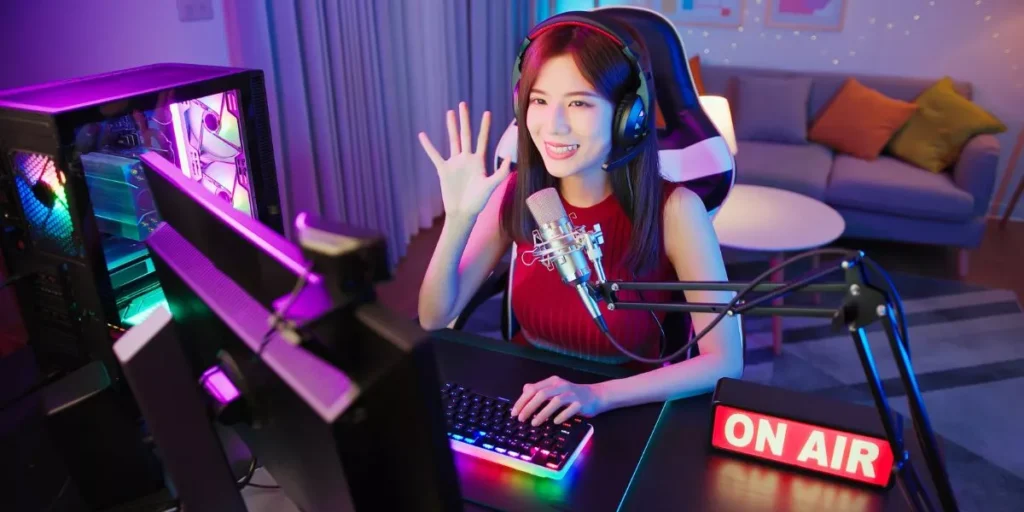
Are you ready to transform your gaming setup into a professional streaming station? To set up your streaming equipment, start by ensuring you have a powerful computer with a good processor and ample RAM. A dedicated graphics card is essential for smooth gameplay and streaming. Next, invest in a high-quality microphone to provide clear commentary to your viewers. A webcam is also crucial for adding a personal touch to your streams.
For capturing your gameplay, consider using a capture card if you’re playing on a console. This device will help you transfer the gameplay footage to your computer for streaming. Additionally, a reliable internet connection with sufficient upload speed is vital to prevent lags or buffering during your streams.
To enhance the visual quality of your streams, set up proper lighting in your streaming area. Good lighting not only improves the video quality but also makes your streams more engaging for viewers. Finally, customize your streaming software settings to optimize your stream quality and make it more professional.
Optimizing Your Streaming Software
Enhance your streaming experience by fine-tuning your streaming software settings for optimal performance. Start by adjusting your video settings to find the right balance between quality and performance. Lowering the resolution or bitrate can help reduce strain on your system and ensure smooth streaming.
Next, optimize your audio settings by adjusting microphone levels and noise suppression filters to enhance the sound quality of your stream. Having clear audio is crucial for engaging with your audience effectively.
Additionally, make sure to set up hotkeys for easy access to frequently used functions while streaming. This can help you switch scenes, mute audio, or interact with your viewers without disrupting your gameplay.
Regularly check for software updates to ensure you have the latest features and bug fixes. Keeping your streaming software up to date can help prevent technical issues during your streams.
Engaging With Your Audience Effectively
To captivate your audience effectively during streams, maintain a genuine and interactive communication style that fosters a sense of community. Engaging with your audience is crucial for building a loyal following and creating an enjoyable viewing experience. Respond promptly to chat messages, address viewers by their usernames, and ask for their opinions or thoughts on the game or current topic. This interaction makes viewers feel valued and encourages them to participate actively in the stream.
Another way to engage effectively is by sharing personal anecdotes or stories related to the game you’re playing. This adds a personal touch to your streams and helps viewers connect with you on a more human level. Additionally, consider hosting interactive sessions like Q&A segments, viewer challenges, or multiplayer games where viewers can join in.
Remember to maintain a positive and welcoming atmosphere during your streams. Encourage respectful discussions, moderate any negative behavior, and show appreciation for your audience’s support. By engaging with your audience in a genuine and interactive manner, you can create a vibrant community around your streams.
Enhancing Your Streaming Performance
To maximize your streaming performance, focus on improving technical aspects such as video quality, sound clarity, and internet stability.
Start by investing in a good quality microphone to ensure your audience hears you clearly. Consider using a pop filter to reduce unwanted sounds and background noise.
Upgrading your camera can also enhance your stream’s visual appeal. Look for a camera with high resolution and good low-light performance for professional-looking video.
Additionally, ensure your internet connection is stable and fast enough to handle streaming without lags or buffering issues. Consider using an Ethernet cable for a direct connection to your router for the best results.
Experiment with different streaming software to find one that suits your needs and offers the best performance. Regularly check and adjust your stream settings to optimize video and audio quality.
Trending Products